Specialized by design.

Nimblor is a Dallas–Fort Worth software company. We build apps, websites, and custom tools for businesses, advise teams on AI, and develop our own products.

Glimshelf is in public beta. Read your self-hosted comic library on iPhone and iPad.

The gap is the opportunity.

Some jobs need software that general-purpose products don’t provide. We build for those needs, using AI where it helps.

That applies to our own products and to the work businesses hire us to do. We look at how people do the job today, what gets in their way, and what the software needs to change.

Hire Nimblor for your project.

Get help choosing AI products or hire us to build software for your business. We can review your current tools, recommend changes, or develop something new.

Serving Dallas-Fort Worth and beyond. Meet online wherever you are, or arrange to meet over coffee if you’re local.

  • AI consulting

    Advice on where AI can help, which products to use, and how to introduce them to your team.

    About AI consulting
  • AI integrations

    Connect AI services to your existing software, with controls over data access and when a person needs to review the results.

    About AI integrations
  • Websites & apps

    Business websites starting at $2,000 USD for a scoped 3–5 page site. Smaller launch sites from $1,000 USD. Custom apps quoted after scoping.

    About websites and apps
  • Custom business tools

    Reporting dashboards, business portals, and tools that automate repetitive work.

    About custom business tools

Our software.

We also develop and release our own software products.

The Glimshelf app icon rebuilt as an orange ceramic tile with three comic pages lifting off it

Glimshelf

Public beta on TestFlight for iPhone and iPad.

Read what you own.

Glimshelf is a native iPhone and iPad reader for your self-hosted comic book library. Connect to the library you host on your own server with Komga, Kavita, or OPDS, or read comics, manga, PDFs, and EPUBs from your own local files. Glimshelf reads the books you already own. It has no bookstore or subscription catalog.

Keep your next reads ready offline, enjoy right-to-left manga and vertical webtoons, and pick up where you left off. Your library stays yours: no Glimshelf account, no advertising, and no developer-operated library relay.

Public beta for iPhone and iPad running iOS / iPadOS 18 or later. Glimshelf Pro is included during the beta.
Inside Glimshelf.

We designed and built Glimshelf for iPhone and iPad. These screens are from the Glimshelf beta.

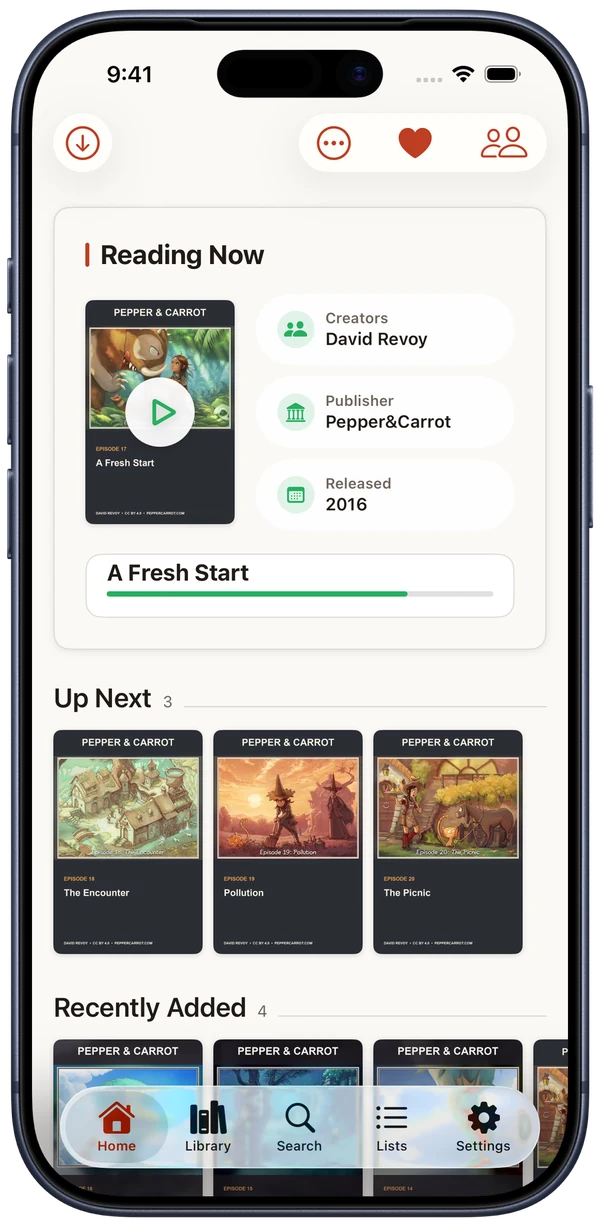
  1. Home opens on your current issue.

    The book you’re reading sits at the top, with the next issues in the series lined up below it.

    Comic: Pepper & Carrot by David Revoy, CC BY 4.0.

    Glimshelf Home showing A Fresh Start by David Revoy, released in 2016, at 78 percent with three populated Pepper and Carrot episodes Up Next
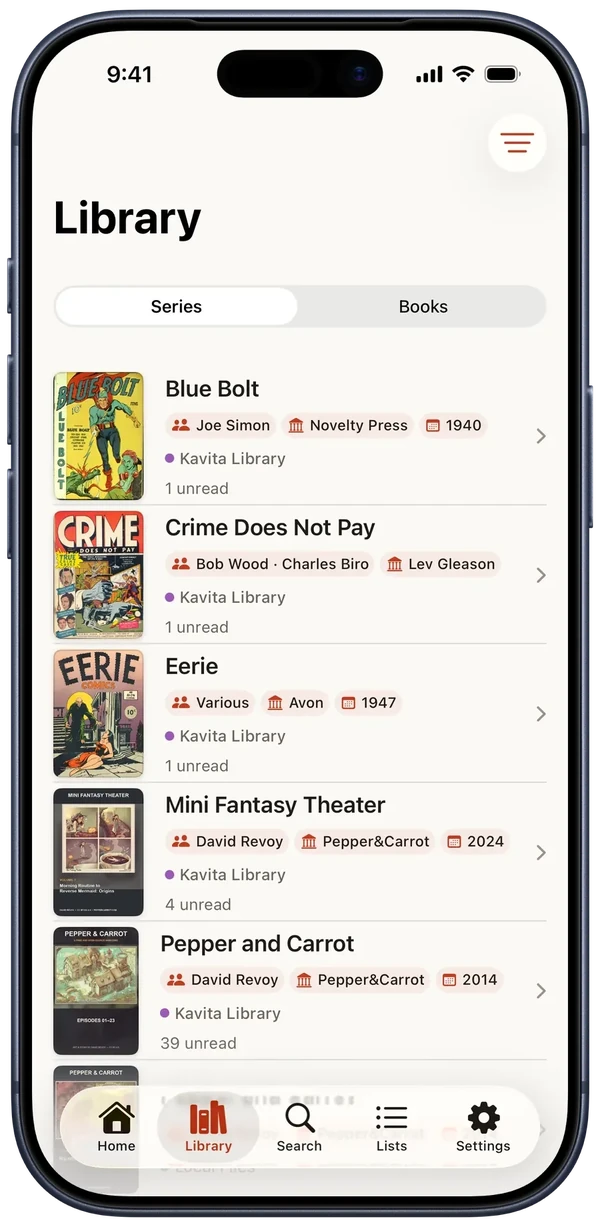
  2. Your library, by series.

    Each series shows its creators, publisher, source, and how many issues are unread.

    Covers: Pepper & Carrot by David Revoy, CC BY 4.0, and Mini Fantasy Theater by David Revoy, CC BY-SA 4.0.

    Library with Series selected, showing covers, creators, publishers, source badges, and unread counts
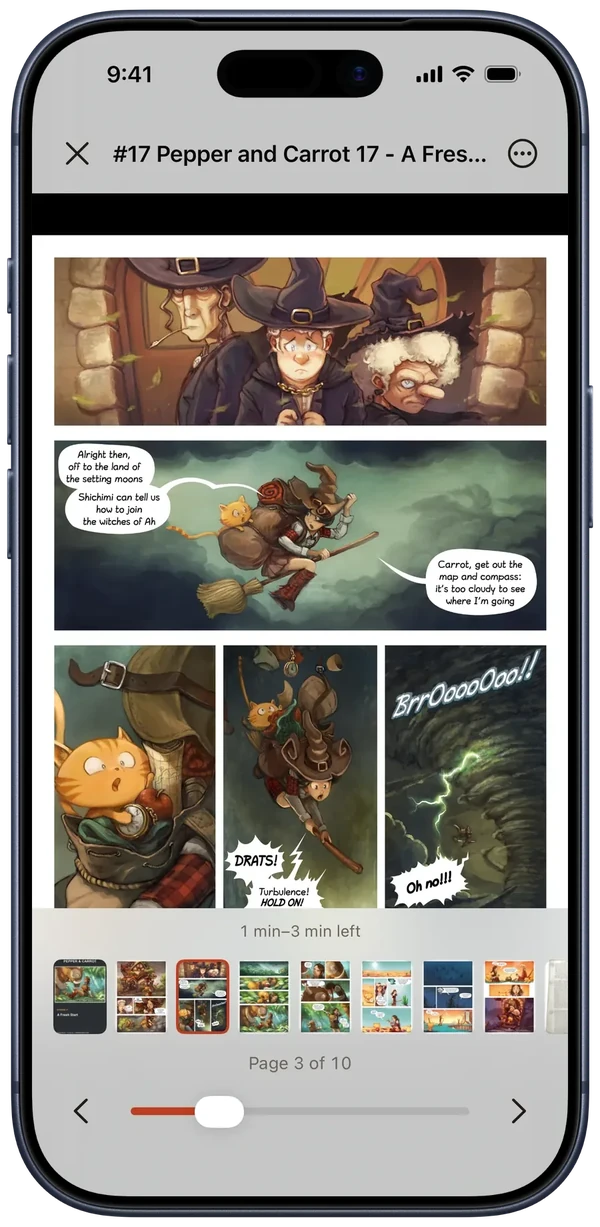
  3. Page strip, slider, and time left.

    The page stays clear while you read. Bring up the controls for a thumbnail strip, a page slider, and an estimate of the time left in the issue.

    Comic: Pepper & Carrot by David Revoy, CC BY 4.0.

    Reader with the controls visible over a multi-panel comic page: thumbnail strip, page slider, and time remaining
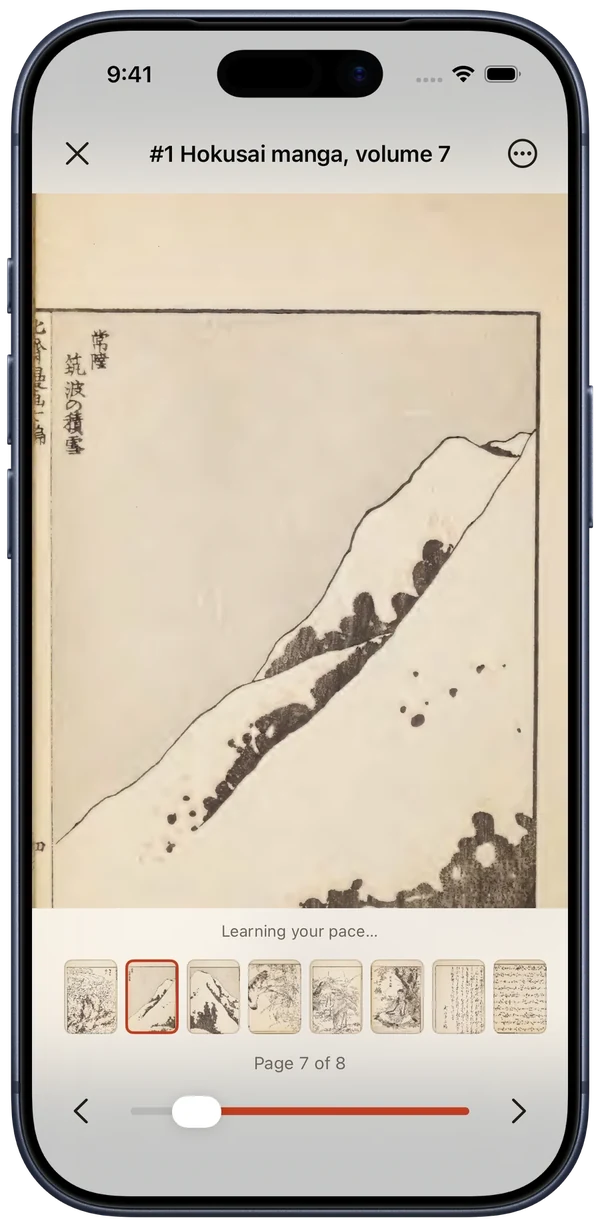
  4. Right to left for manga.

    Manga reads right to left, and the page strip reverses to follow the direction of the book.

    Artwork: Hokusai manga, volume 7 by Katsushika Hokusai, Public Domain Mark 1.0.

    Hokusai manga volume 7 open on a Japanese sketch leaf with page 7 selected near the left end of the reversed page strip
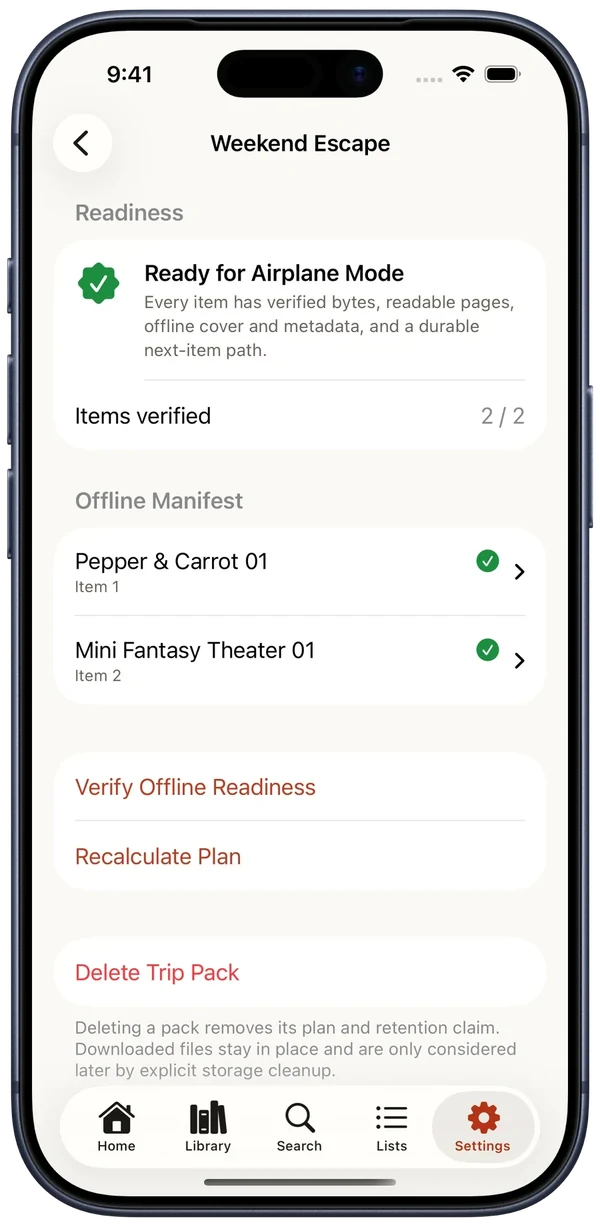
  5. Trip Packs check every download before you go offline.

    A Trip Pack confirms that each item is downloaded and readable, then reports that it’s ready for Airplane Mode.

    Weekend Escape Trip Pack reporting Ready for Airplane Mode with two of two items ready
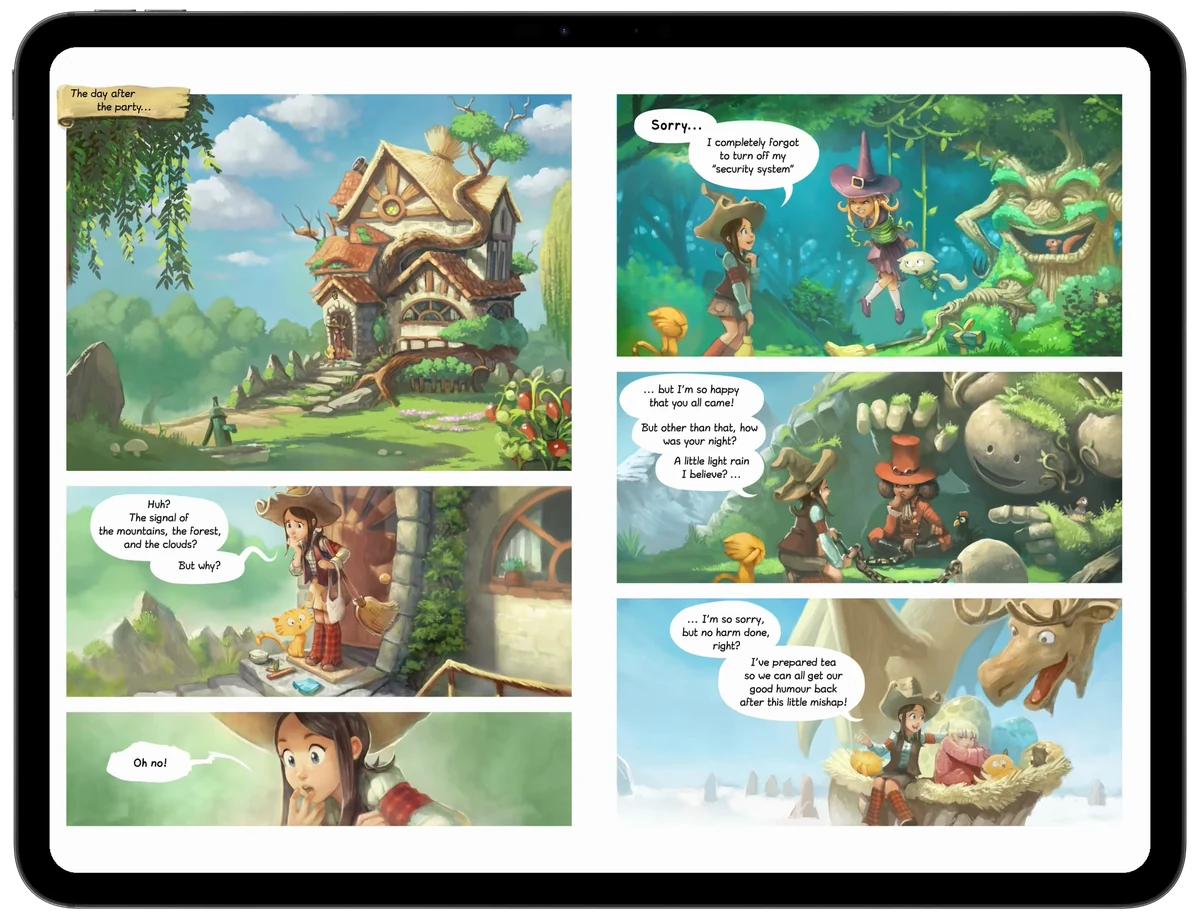
Two facing Pepper & Carrot pages in Glimshelf’s Double Page mode on a landscape iPad, with the controls hidden

Facing pages on iPad.

In Double Page mode on a landscape iPad, two pages sit side by side, the way a printed comic opens.

Comic: Pepper & Carrot by David Revoy, CC BY 4.0.

Ousley.ai

In development. AI coding tools for Apple platforms.

General-purpose AI coding tools often struggle with Swift and Xcode. They are tuned for broad demand, so Apple developers keep running into the same problems: incorrect build destinations, stale navigation guidance, code that needs several rounds of build-and-fix before it works, and results that ignore Apple’s design standards.

Ousley.ai is building an AI coding system for Apple platform teams working in Swift and Xcode. It pairs a headless build, fix, and verify framework with a model fine-tuned for Apple development. The aim is measurably fewer retries before you have working code, and behavior that fits how Apple teams build and ship. It runs in the terminal, in CI, or in the editor, and it is served from a managed cloud, so there is no GPU to provision.

Infrastructure partners
NVIDIA Inception Program ElevenLabs Startup Grants Program

Have a project in mind?

Send us a description of the work. We’ll reply by email to discuss it with you.

Start a project