Native iPhone and iPad apps.
Nimblor designs and builds native apps in Swift for iPhone and iPad. We’re based in Dallas–Fort Worth, work with clients online wherever they are, and can arrange a local meeting in DFW.
Discuss your appStart with what people need to do on the device.
Some projects need an app that works offline, uses device features, or gives frequent users an interface shaped for iPhone and iPad. Others can work well in a browser. We discuss the users, their tasks, and the systems the software must connect to before deciding what to build.
Joshua Brackin founded Nimblor. He worked at Apple for 12 years and served as Chief Technology Officer of Merlin 3D Studio for three years.
Our app: Glimshelf.
Glimshelf is a native iPhone and iPad reader that we designed and built. It reads local comic files and connects to self-hosted Komga, Kavita, and OPDS libraries. The app is in public TestFlight beta, so you can try the work shown here.
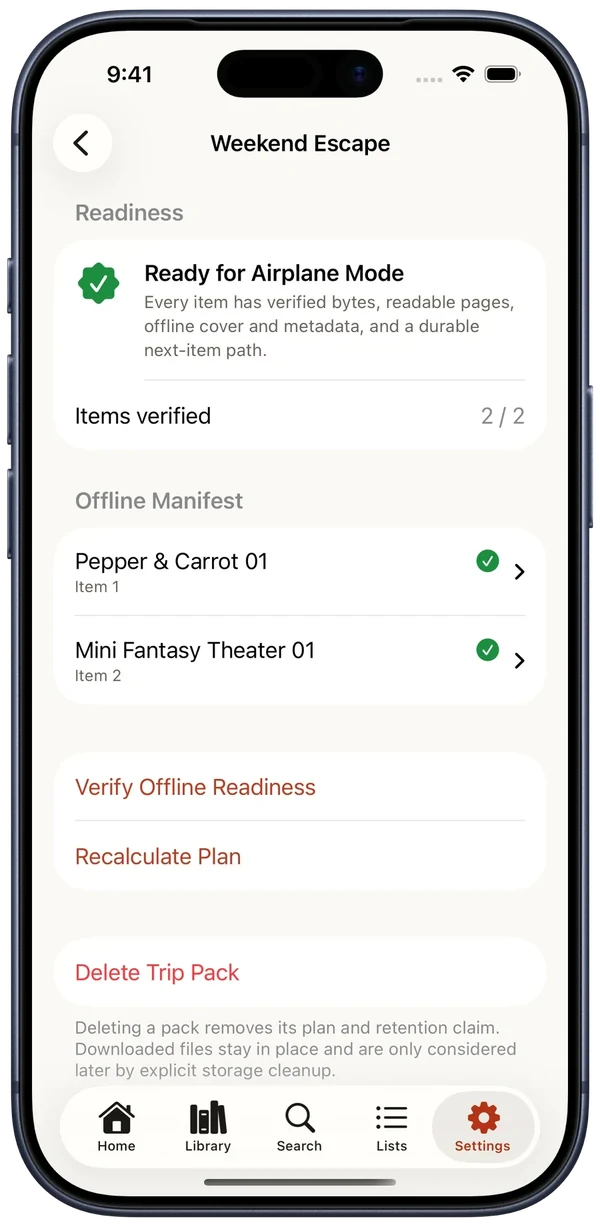
Its offline features required more than saving a file. A Trip Pack verifies that selected books are ready before a reader leaves the network. Reading progress is stored on the device first, then queued updates resume when a Komga or Kavita server returns. If two saved positions disagree, the reader chooses which one to keep.
That work joins an interface for two device sizes with local storage, downloads, and server integration. It is a public example of the app decisions we can discuss for your project.
How we scope an app.
Define the task.
Tell us who will use the app, what they need to do, and what they use today.
Map the connections.
We identify any accounts, APIs, stored data, or offline work the app needs.
Plan the screens.
We work through the iPhone and iPad experience, including the actions people use most.
Agree on delivery.
You review a written proposal covering scope, milestones, testing, handover, and support.
Questions about your app.
Do I need a native app or a website?
It depends on what your users need. If they mostly read information or complete occasional tasks in a browser, a website or web app may be enough. If offline use, device features, or a frequent mobile workflow matter, we can assess a native app. We make that choice during scoping.
Can an app connect to our existing systems?
Often, yes. We first check the available APIs, access rules, and data the app needs. Glimshelf connects to Komga, Kavita, and OPDS libraries; your project's integration options depend on the systems you use.
What will an iPhone or iPad app cost?
Cost depends on the screens, accounts, integrations, offline behavior, testing, and support involved. After discussing the work, we prepare a proposal with scope, pricing, and milestones. If discovery needs its own phase, we agree on that cost first.
Can we meet in Dallas–Fort Worth?
Yes. Local clients can arrange a meeting over coffee to discuss the project. We have no public office, so we agree on a convenient place and time. We also meet online with clients in DFW and elsewhere.
Tell us about the app you have in mind.
Describe who will use it and what they need to do. We’ll reply by email to discuss the details.
Start a project